Author: Carol Driscoll

  • Basic White Bread Recipe for Bread Machine

    Basic White Bread Recipe for Bread Machine

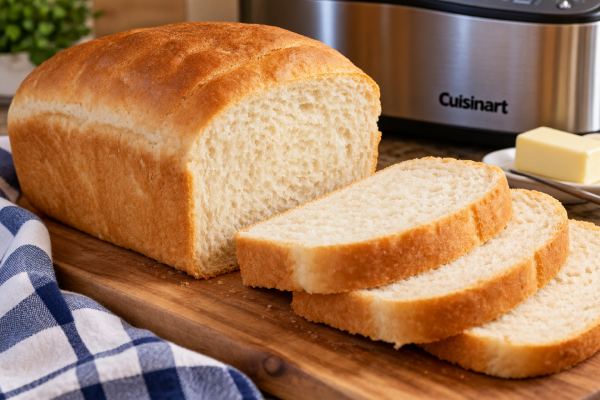
    This basic white bread recipe is one of those recipes that is good to have on hand. I make it in my bread machine, so there is very little work involved. Just add the ingredients, turn on the machine, and forget about it for about three and a half hours!

    I use this bread on its own, but it is also a basic recipe that I use as the starting point for other recipes. Instead of buying bread flour, I use regular all-purpose flour with vital wheat gluten. It costs less, and I have found that it works just as well.

    Breads and Desserts

    Basic White Bread 🍞

    Homemade white bread from the bread machine. Perfect for sandwiches, toast, or thick slices of French toast!

    81012 1416
    Total Loaf Calories
    —
    kcal
    Calories Per Slice
    —
    kcal

    Loaf size: 2 pounds
    Yield: 12 slices
    Serving size: 1 slice

    Ingredients

    • 1½ cups room-temperature water
    • 3 tablespoons unsalted butter, cut into ½-inch pieces
    • 1 tablespoon granulated sugar
    • 1½ teaspoons salt
    • 4 cups all-purpose flour
    • ¼ cup nonfat dry milk
    • 1½ teaspoons active dry yeast
    • 4 teaspoons vital wheat gluten

    Instructions

    1. Place all the ingredients into the bread-machine pan in the order listed.
    2. Place the bread pan into the bread maker.
    3. Select the Basic White program.
    4. Select the 2-pound loaf size.
    5. I prefer the medium crust setting.
    6. Start the bread maker and forget about it for about three and a half hours!
    7. When the bread is finished, carefully remove the loaf from the pan.
    8. Place it on a wire rack and allow it to cool completely before slicing.

    Calorie Crusaders Tip: Slice the cooled loaf into approximately equal pieces. Adjust the slider to match the number of slices you cut. Thicker slices have more calories, while thinner slices have fewer.

    Nutrition Information

    Serving size: 1 slice
    Slices per loaf: 12

    Nutrition information is estimated from standard ingredient values. Actual values vary depending on ingredient brands, measurements, and slice thickness. The calculations assume equal-sized slices.

    Carol’s Bread-Making Tip

    Bread flour works perfectly well in this recipe, but I prefer to use all-purpose flour with vital wheat gluten. All-purpose flour is usually cheaper, and adding the vital gluten gives the dough some of the extra gluten strength you would normally get from bread flour. It works very well for me.

    Try it with: This homemade white bread is perfect for our French Onion Soup. A thick slice holds up beautifully under the broth and melted cheese.

    Calorie Crusaders Tip

    Let the loaf cool completely before slicing it. Besides making the bread easier to slice, cooling gives the inside of the loaf time to finish setting. Then you can cut fairly even slices, which also makes it easier to estimate the calories in each serving.

    Nutrition information for homemade recipes is an estimate. Exact values can vary depending on the brands of ingredients used and the number and thickness of slices.


  • Glenn Joins the Calorie Crusade

    Glenn Joins the Calorie Crusade

    Well, apparently the Calorie Crusade is contagious. Glenn has joined me, and now we’re losing weight together.

    I mentioned in my article about Cronometer that Glenn had started using it too. That was worth a sentence then, but I think it deserves a little more attention now.

    I’m no longer the only Calorie Crusader in this house.

    It Started With Cronometer

    I’ve been using Cronometer to keep track of my calories and nutrition, and Glenn decided to give it a try too.

    Now we’re both entering our food and keeping track of what we’re eating.

    I think that’s going to be a good thing.

    When only one person in a household is trying to pay attention to food, it can sometimes feel like you’re doing your own separate little project.

    Now we’re doing it together.

    We’re Still Two Different People

    That doesn’t mean Glenn and I need to eat exactly the same amount or have exactly the same goals.

    We don’t.

    We’re two different people.

    But we can still support each other while each of us follows the plan that works for us.

    We can eat many of the same meals. We can talk about what we’re learning. We can compare notes about Cronometer. And when one of us discovers something useful, we can share it with the other.

    That makes the whole process a little more interesting.

    It Makes Cooking Easier Too

    There’s another practical advantage to having both of us paying attention.

    We live in the same house and eat a lot of the same food!

    When I make one of our regular recipes, I can enter it into Cronometer and figure out the calories and nutrients per serving.

    Then we’re both working from the same information.

    I’m already paying more attention to portions and what’s actually going into our meals. Now that information can be useful to both of us.

    I’m Not Going to Be the Food Police

    There is one thing I don’t want this to become.

    I don’t want to spend my days watching what Glenn eats, and I’m pretty sure he doesn’t want to spend his days watching what I eat.

    We’re adults.

    We’re each responsible for our own choices.

    If Glenn wants something, that’s his decision. If I want something, that’s mine.

    Supporting each other doesn’t mean policing each other.

    I’d much rather have someone beside me saying, “Okay, let’s keep going.”

    Two Calorie Crusaders

    I’m glad Glenn decided to join me.

    Losing weight and changing habits are still things each of us has to do for ourselves. Nobody else can make those choices for us.

    But that doesn’t mean we have to do everything alone.

    We can encourage each other.

    We can laugh about the occasional ridiculous serving size.

    We can share recipes.

    We can celebrate the good weeks.

    And when one of us has a not-so-good week, maybe the other one can help remind us that one week isn’t the whole journey.

    When I brought Calorie Crusaders back, I thought I was restarting my own journey.

    It looks like I’ve picked up another crusader along the way.

    Welcome aboard, Glenn.

  • Nonnie’s Beef Stew

    Nonnie’s Beef Stew

    This is Nonnie’s Beef Stew, and it is really good!

    This is a big, hearty pot of old-fashioned beef stew. It is loaded with tender beef, potatoes, carrots, tomatoes, bell pepper, onion, and plenty of garlic.

    It cooks in an 8-quart Dutch oven and makes enough for a family meal with leftovers. And it freezes very well.

    And at our house, beef stew wouldn’t be complete without a pan of Aunt Jemima cornbread to go with it.

    Calorie Crusaders Recipes

    Nonnie’s Beef Stew 🥘

    A hearty, homemade beef stew filled with tender beef, potatoes, carrots, and vegetables. A family favorite from Nonnie’s kitchen.

    468 1012
    Total Pot Calories
    3108
    kcal
    Calories Per 2-Cup Bowl
    259
    kcal

    Yield: 24 cups
    Serving size: Approximately 2 cups per bowl

    Ingredients

      Directions

      1. Heat the avocado oil in an 8-quart Dutch oven over medium-high heat. On my stove, that’s about a 6.
      2. Add the stew meat and brown it in the avocado oil, stirring constantly.
      3. Add the first portion of water, the chopped onion, and the diced tomatoes.
      4. Reduce the heat to medium. Cover and cook for 30 minutes.
      5. Stir in the salt and pepper, minced garlic, chili powder, and beef broth.
      6. Add the vegetables in this order: baby carrots, bell pepper, and potatoes.
      7. Pour in the second portion of water. The liquid should cover the vegetables.
      8. Bring the stew to a boil.
      9. Cover, but crack the lid, and cook on medium heat for 40 minutes.
      10. Remove the Dutch oven from the heat. Let the stew rest for 20 minutes before serving.

      Smaller batches may cook differently. Check the beef and vegetables for tenderness before serving. Use a pot appropriate for the selected batch size.

      Nutrition Information

      Serving size: Approximately 2 cups
      Servings per recipe: 12

      Nutrition information is estimated using standard ingredient values. Actual values may vary depending on the cut of beef, brands, measurements, and serving sizes. Sodium depends on added salt.

      Serving Suggestion

      Serve hot with Aunt Jemima cornbread.

      Because really, what else are you going to serve with Nonnie’s beef stew? 😄

      A Calorie Crusaders Tip

      Avocado oil has a high smoke point, which makes it a good choice for cooking at higher temperatures. That works especially well in this recipe because the stew meat is browned over medium-high heat before the other ingredients are added.

    • My Foot Put Me on the Sidelines—but Not My Weight-Loss Plan

      My Foot Put Me on the Sidelines—but Not My Weight-Loss Plan

      Sometimes life has a way of changing your plans.

      This time, it was my foot.

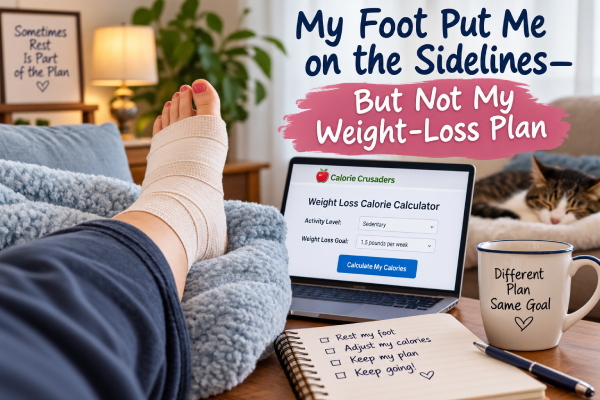
      Weight loss while injured is something I hadn’t really thought much about until now. I’ve hurt my foot, and for the next couple of days I need to stay off of it as much as possible. That means my normal daily activity is going to drop considerably.

      And that presented me with a question.

      What happens to my weight-loss plan when I suddenly can’t be as active?

      Weight Loss While Injured

      I’m currently trying to lose about 1½ pounds per week. Normally, my activity around the house helps determine how many calories I can eat while still working toward that goal.

      But sitting with my foot up is definitely not my normal activity level!

      For the next few days, I may be much closer to sedentary.

      That’s where our Weight Loss Calorie Calculator became especially useful.

      Instead of guessing what I should do, I can change my activity level to sedentary and let the calculator give me a new calorie target.

      I Can Look at My Options

      One thing I really like about the calculator is that I don’t have to make this an all-or-nothing decision.

      I can set my activity level to sedentary and see approximately how many calories I would need to eat to continue losing 1½ pounds per week.

      Then I can change my goal to 1 pound per week and see that calorie target, too.

      That gives me a choice.

      Maybe I decide that I still want to aim for 1½ pounds per week.

      Or maybe I decide that while my foot is healing, one pound per week is a more reasonable goal.

      Either way, I have information I can use to make that decision.

      My Plan Changed. My Goal Didn’t.

      This is one of those situations that could easily throw me off track.

      I could think, “Well, I can’t do my normal activity, so there goes this week’s weight loss.”

      But that’s not necessarily true.

      My activity level changed. That simply means I may need to adjust my calorie target for a few days.

      That’s very different from giving up.

      And I’m certainly not going to keep walking around on a sore foot just so my activity calculator will be happy with me. 😂

      Right now, resting my foot is more important.

      Sometimes Rest Is Part of the Plan

      There is another side to this that I think is important.

      Getting injured isn’t a reason to drastically cut calories. Our bodies still need good nutrition, especially when they’re recovering.

      So I’m not looking at this calculator and asking, “How little can I eat?”

      I’m asking, “What is a reasonable calorie goal for my current activity level?”

      That’s a much better question.

      For me, the answer may even be to temporarily slow my expected rate of weight loss.

      A few days at a different calorie target aren’t going to ruin everything I’ve been working toward.

      This Is Why I Like Having Tools

      When we created the Weight Loss Calorie Calculator, we thought of it mainly as a way to determine a calorie goal based on weight, activity and desired rate of weight loss.

      Now I’m finding another use for it.

      Life changes.

      Our activity changes.

      Sometimes we’re busy and moving all day. Other times, a sore foot puts us in a chair whether we like it or not.

      Having a tool that lets me change those numbers helps me adjust my plan instead of abandoning it.

      That’s really what this journey is about.

      I don’t need a perfect week. I just need a plan that can change when life does.

      And for the next couple of days, apparently my plan includes putting my foot up.

      I suppose my chair won this round. 😂

    • I Increased My Activity for Weight Loss — Here Are My Results

      I Increased My Activity for Weight Loss — Here Are My Results

      Last week, I decided to increase my activity for weight loss and see what happened.

      The week before, I had been much too sedentary. I was still watching my calories, but I wasn’t moving enough. At the end of that week, I had lost only 0.6 pound.

      That wasn’t terrible. A loss is still a loss. But I thought I could do better.

      So I decided to run a little one-week experiment.

      My Goal for the Week

      I wasn’t trying to turn myself into an exercise fanatic overnight. I simply wanted to move more during my normal day.

      My goal was to be lightly active instead of sedentary whenever I could.

      I used our Weight Loss Calorie Calculator to see how my activity level affected the number of calories I could eat while still working toward my weight-loss goal.

      According to the calculator, I should lose about 1.5 pounds.

      Now I had a number to test.

      I Didn’t Need a Gym to Move More

      One thing I’ve been learning is that physical activity doesn’t have to mean a formal workout.

      There are plenty of opportunities to move during an ordinary day.

      Cooking gets me on my feet. Housework gets me moving. Taking care of the chickens counts. Walking counts. Even those little trips around the house add up.

      That is why we created the Everyday Activity Burn Calculator.

      You can choose different ordinary activities and see an estimate of how many calories you may burn doing them.

      That calculator helped me look at everyday movement differently.

      Instead of thinking, I need to exercise, I could think, I need to move.

      For me, that’s a lot easier.

      What I Actually Did

      I didn’t manage to be lightly active every single day.

      For five days, I was lightly active.

      For two days, I was sedentary.

      That’s real life.

      Some days I move more than others. The important thing was that I had increased my activity quite a bit compared with the previous week.

      Then came weigh-in day.

      The Results Are In

      I lost 1.6 pounds!

      The calculator had predicted approximately 1.5 pounds.

      That’s only one-tenth of a pound difference between the calculator’s estimate and what actually showed up on my scale.

      I was very pleased with that.

      I was even happier when I compared it with the previous week.

      When I was too sedentary, I lost 0.6 pound.

      After increasing my activity, I lost 1.6 pounds.

      That’s a full pound more on the scale this week.

      Did the Extra Activity Cause the Difference?

      I can’t say that every bit of that difference came from being more active.

      Body weight naturally fluctuates. Water, digestion and other factors can affect the number on the scale from one week to the next.

      That’s one reason I don’t want to judge my progress by a single weigh-in.

      Still, this experiment gave me exactly the kind of result I was hoping to see.

      I ate according to my calorie goal. I increased my everyday activity. The calculator predicted a loss of about 1.5 pounds.

      And I lost 1.6.

      I’ll take it!

      Everyday Movement Really Does Matter

      The biggest lesson I learned this week is that I don’t have to spend hours exercising to become more active.

      I can look for opportunities to move throughout my day.

      I can cook. I can clean. I can walk. I can take care of the animals. I can get up and do something instead of spending quite so much time sitting.

      Those ordinary activities may not feel like exercise.

      But they’re still movement.

      And movement adds up.

      For me, this experiment wasn’t about becoming an athlete.

      It was about getting out of that chair a little more often.

      Apparently, my chair and I needed some time apart anyway. 😂

      One week doesn’t prove anything by itself, so I’m going to keep watching my results. But after losing 0.6 pound during my more sedentary week and 1.6 pounds during my more active week, I’m certainly motivated to keep moving.

    • Aunt Jemima Cornbread

      Aunt Jemima Cornbread

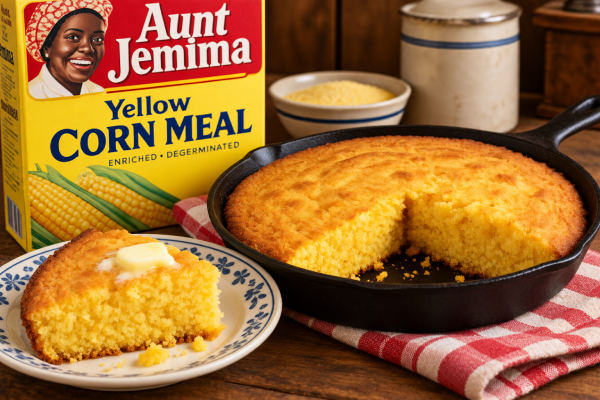
      I’ve been making this Aunt Jemima cornbread recipe for years and years. The recipe originally came right off the Aunt Jemima cornmeal package, and it was so good that I hung onto it. Sometimes the recipes you find on the back of a package turn out to be the ones you make for a lifetime, and this is one of those recipes at our house.

      It’s a slightly sweet cornbread made with cornmeal, flour, sugar and whole milk. We especially like it alongside a big bowl of Nonnie’s Beef Stew, but it’s good with just about any meal where a warm piece of cornbread belongs.

      Aunt Jemima Cornbread

      Total Batch Calories
      2048
      kcal
      Calories Per Piece
      256
      kcal

      Ingredients

        Yield: 8 pieces

        Directions

        1. Preheat the oven to 425°F.
        2. Grease a round cake pan or use cooking spray. Do not flour the pan.
        3. Combine the cornmeal, flour, sugar (if using), baking powder, and salt.
        4. Add the milk, egg, and shortening. Mix until combined.
        5. Pour the batter into the prepared pan.
        6. Bake for 20–25 minutes, or until golden and baked through.
        7. Cut into the selected number of standard-size pieces and serve.

        Larger batches may require a larger pan, multiple pans, or additional baking time.

        Estimated Nutrition Information

        Serving size: 1 standard piece
        Servings per batch: 8

        Nutrition information is estimated using standard ingredient values. Actual values may vary depending on brands, measurements, and serving sizes.

        A Calorie Crusader Tip

        Cornbread is one of those foods where deciding on the serving size before you start cutting makes calorie counting much easier. I cut this recipe into eight pieces, so each wedge is one serving.

        And don’t throw away those old favorite recipes just because they came from the back of a package. This one has been in my kitchen for years and years for a reason!

        Calories Crusaders Recipes

        This is a recipe I originally found on an Aunt Jemima cornmeal package many years ago. Aunt Jemima products were later renamed Pearl Milling Company.

      • My Favorite Tool for Counting Calories: Cronometer

        My Favorite Tool for Counting Calories: Cronometer

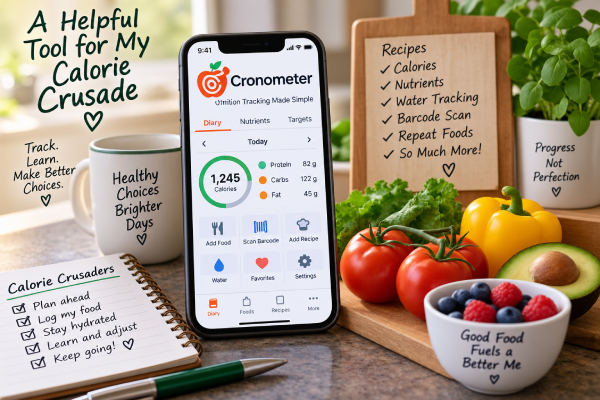
        I’m counting calories again, and this time around I have a tool that makes the job a whole lot easier. It’s the Cronometer calorie tracker, and it has quickly become one of my favorite tools in my Calorie Crusader toolbox.

        Before I go any further, I want to make something clear. Cronometer isn’t paying me to write this, and this isn’t a sponsored post. I just think it’s an excellent tool and one that’s worth talking about.

        More Than a Calorie Counter

        Obviously, one of the main things I need to know on my Calorie Crusade is how many calories I’m eating. Cronometer does that very well, but that’s really just the beginning.

        It also lets me see what’s actually in the food I’m eating.

        At a glance, I can keep an eye on things like fiber, sodium, added sugar, saturated fat and calcium. Instead of simply knowing that I’ve eaten a certain number of calories, I can look at a meal—or my entire day—and get a much better picture of how I’m doing nutritionally.

        I like that.

        Sometimes calories only tell part of the story.

        One of My Favorite Features: Recipes

        One of my favorite things about Cronometer is the recipe feature.

        I cook something, enter the ingredients into Cronometer, and it does the math for me. Once the recipe and serving information are entered, I can see the calories and nutrients in a serving.

        That is incredibly handy.

        Without something like this, figuring out the calories in a homemade recipe can become quite a project. You have to figure out the calories in every ingredient, add everything together and then divide it into servings.

        Cronometer does the work.

        And once I’ve entered the recipe, I have it available the next time I make it.

        Finding Foods Is Easy

        Cronometer also has a very large food database. Most of the foods I’m looking for are already there.

        For packaged foods, I can also scan the barcode. That can save quite a bit of time when I’m standing in the kitchen trying to get a meal entered.

        The easier it is to record what I eat, the more likely I am to actually do it.

        And that’s important.

        I Don’t Have to Enter the Same Things Over and Over

        Most of us have foods we eat regularly.

        If I eat the same thing from one day to the next, Cronometer has a premium feature that makes it possible to repeat those foods instead of making me start from scratch every morning.

        That may sound like a small thing, but those little conveniences add up.

        In a previous Calorie Crusaders article, “When Life Gets in the Way of Counting Calories“, I talked about some of the things that have caused me to stop counting calories in the past. Sometimes life simply became too busy and there were too many other things demanding my attention.

        So this time I’m paying attention to anything that makes the process easier.

        If something saves me a few minutes and removes one more little chore from my day, that’s a good thing.

        Even My Water Is in There

        I can also use Cronometer to keep track of my water.

        I like having that information right there along with my food instead of trying to remember separately how much I’ve had to drink during the day.

        Again, it’s one less thing to keep track of somewhere else.

        Information Helps Me Make Better Choices

        I think this may be what I like most about Cronometer.

        It gives me information.

        If I’m low on fiber, I can see it. If I’ve had more sodium than I realized, I can see that too. I can look at calcium, added sugar, saturated fat and other nutrients instead of simply concentrating on one number at the top of the page.

        I’m still counting calories. That’s the foundation of what I’m doing.

        But I’m also learning more about the food those calories are coming from.

        Another Tool for the Calorie Crusade

        No app is going to lose the weight for me.

        I still have to decide what I’m going to eat. I still have to decide how much I’m going to eat. And I still have to enter it honestly.

        But a good tool can make all of that easier.

        That’s what Cronometer does for me.

        It takes something that could involve a lot of calculating, writing things down and looking things up and puts it all together in one place.

        For someone who has decided to count calories for a long time—not just for a few weeks—that convenience matters.

        Glenn has even started using Cronometer too, so apparently I’m not the only one in this house who finds all those numbers useful.

        I’m trying to build habits that I can continue even when life gets busy.

        And right now, Cronometer is one of my favorite tools in the Calorie Crusader toolbox.

      • I Really Didn’t Feel Like Moving Today

        I Really Didn’t Feel Like Moving Today

        This morning, I was really out of snuff.

        I knew I needed to figure out how to be more active during the day. There was just one problem.

        I really, really didn’t feel like doing it.

        I’ve been down in my back lately, and somewhere along the way I got out of the habit of getting things done. On days when we don’t have work, I’ve even gotten into the habit of staying in my lounge dress all day.

        This morning, I needed to figure out how to get myself moving again.

        I Started by Journaling

        I tried journaling first.

        That helped a little. Writing things down gave me a chance to think about what was bothering me and what I wanted to accomplish.

        But I still needed something more practical.

        So I made myself a list.

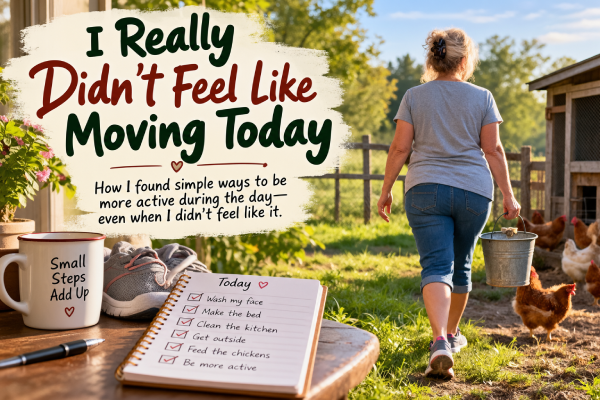
        It wasn’t a list of exercises. It was a list of ordinary daily tasks that would get me up and moving.

        Some of them were very simple.

        Wash my face.

        Make the bed.

        Clean the kitchen.

        These aren’t things I would normally think of as exercise. But they do require me to get out of my chair and move.

        And that was exactly what I needed.

        Then I Got Dressed

        This may sound like a little thing, but I think it made a big difference.

        I got dressed.

        Not in my lounge dress. I put on regular clothes and my shoes.

        That seemed to tell my brain that the day had started and I had things to do.

        Apparently, my lounge dress may have been conspiring with my chair. I’m keeping an eye on both of them.

        I Put My Day on the Calendar

        I use Google Calendar to help keep myself organized, so I put my tasks there.

        I also set those tasks to repeat every day.

        Now I don’t have to start from scratch each morning and figure out how I’m going to get moving.

        I already have a simple daily activity plan waiting for me in my calendar.

        That gave me something else I needed.

        I could mark things complete.

        There is something satisfying about finishing a task and checking it off. Then I could move on to the next one.

        Instead of looking at the whole day and thinking about everything I needed to accomplish, I could concentrate on one little thing at a time.

        And every little thing got me moving.

        I Watched My Activity Add Up

        I also used the cardio load feature on my Google Health watch.

        I have a weekly cardio goal, and I could see my activity adding up as I went through my day.

        That gave me another little push to keep going.

        I wasn’t doing a formal workout. I was simply trying to have an active day.

        And it was working.

        Even Feeding the Chickens Became Exercise

        Normally, I might take the golf cart out to feed the chickens.

        Today I walked.

        It was a small decision, but that’s really what the whole day was about.

        Small decisions.

        Get dressed instead of staying in my lounge dress.

        Put on my shoes.

        Make the bed.

        Clean the kitchen.

        Walk instead of taking the golf cart.

        One choice didn’t amount to very much. But by the end of the day, all those choices had added up to a good amount of light activity.

        I Didn’t Wait Until I Felt Like It

        I think that’s the biggest thing I learned today.

        This morning, I didn’t feel motivated.

        I could have waited around hoping motivation would eventually show up.

        Instead, I started doing little things.

        And somewhere along the way, my attitude changed.

        I felt more focused. I felt more productive. And I ended up having a very good day.

        Maybe I don’t always have to feel motivated before I start.

        Maybe sometimes I just need to put on my shoes and do the first thing on the list.

        Then I can see where the day takes me.

        Today, it took me all the way out to the chicken coop.

        On foot.

      • Exercise: It’s All About Movement

        Exercise: It’s All About Movement

        When I think about exercise for weight loss, I’m beginning to realize that it doesn’t always have to mean putting on workout clothes and doing an exercise routine. Sometimes I simply need to get up and move.

        I learned that lesson after having what I thought was a really good week.

        I counted my calories. I stayed on track. I felt pretty good about how I had done.

        There was just one problem.

        I had also been very sedentary.

        That Wasn’t the Number I Was Hoping For

        When I stepped on the scale at the end of the week, my weight loss was disappointing.

        I knew I had done well with my calories, so naturally I started thinking about what else had been different that week.

        And one thing stood out.

        I hadn’t moved very much.

        I had spent far too much time sitting.

        Now, one week’s number on the scale doesn’t prove anything. Weight can fluctuate for all kinds of reasons.

        But it did make me curious.

        Then I Looked at the Calculator

        I started looking more closely at how many calories I should be eating to lose weight.

        That’s when I used our Weight Loss Calorie Calculator.

        What caught my attention was the difference activity makes.

        When I selected sedentary, I could see that my estimated calorie needs weren’t nearly as high as they would be if I were more active.

        That gave me something to think about.

        I realized that counting my calories was only part of what I wanted to work on.

        I needed to move more too.

        Exercise Doesn’t Have to Mean a Workout

        When I hear the word exercise, it’s easy to picture an exercise routine.

        But movement doesn’t have to happen only during a workout.

        I can walk.

        I can clean the house.

        I can work outside.

        I can get up and do something instead of sitting in my chair.

        Of course, I can deliberately exercise too.

        The important thing for me is to move.

        So I’m Putting More Movement Into My Day

        This week, I’m making a point of being more active every day.

        I haven’t suddenly become an athlete.

        I’m just paying attention.

        If I have an opportunity to move, I’m trying to take it.

        Instead of thinking that exercise has to be a separate event that I somehow have to fit into my day, I’m thinking about how I can put more movement into my day.

        That feels much more manageable to me.

        So What Will the Scale Say?

        I don’t know yet.

        That’s the interesting part.

        I’m counting my calories, and this week I’m deliberately adding more movement to my days.

        Will I have a better weight loss when I step on the scale next week?

        Maybe.

        Maybe not.

        Weight can fluctuate for plenty of reasons, so one week won’t prove anything either way.

        But I’m curious.

        And since you’re following along on my Calorie Crusade, you’ll find out when I do.

        To be continued…

      • I’m Not Giving Up the Foods I Love

        I’m Not Giving Up the Foods I Love

        I’m losing weight, but I’m not giving up the foods I love. In fact, eating favorite foods while losing weight is an important part of making this something I can actually stick with.

        I’m counting calories. I’m weighing some of my food. I’m paying more attention to nutrition, and I’m keeping track of what I eat.

        But there’s something I’m not planning to do.

        I’m not giving up the foods I love.

        I’ve Got to Live With This

        I have a lot of weight to lose.

        That means this isn’t something I’m going to do for a few weeks and then go back to eating exactly the way I did before.

        If I’m going to lose the weight and keep it off, I’m going to have to learn how to eat differently for the long haul.

        And I don’t want to spend the rest of my life believing that there are foods I’m never allowed to eat again.

        That doesn’t sound particularly realistic to me.

        It doesn’t sound like much fun, either.

        I Have a Calorie Budget

        One of the things I like about counting calories is that I have choices.

        I think of my calories somewhat like money.

        I have a certain amount available to spend each day. Some foods are relatively inexpensive. Others can use up a pretty big chunk of my budget.

        That doesn’t mean I can’t have the expensive ones.

        It just means I have to decide whether they’re worth the price.

        If I want a hamburger, I can have a hamburger.

        If I want dessert occasionally, I can have dessert.

        If Glenn and I go out to eat, I’m going to order something I enjoy.

        The trick is figuring out how to make those things fit.

        Portion Size Makes a Difference

        Sometimes I don’t need to give something up. I just need less of it.

        That’s one reason my food scale has become such a useful little gadget.

        There can be a big difference between having some of a favorite food and having as much of it as I can possibly eat.

        I’m learning what a reasonable portion looks like.

        Sometimes I’ll decide that a smaller amount is enough. Other times I may decide that I really want the whole thing and adjust the rest of my day accordingly.

        Either way, I’m making the decision.

        Nutrition Still Matters

        Of course, there’s a little more to this than staying under a calorie number.

        I want most of what I eat to give my body something it needs.

        I need protein. I need fiber. I need vitamins and minerals. I want fruits and vegetables and other nutritious foods to make up a substantial part of what I eat.

        If I used my entire calorie budget on cookies, I might technically have counted the calories, but I wouldn’t consider that a particularly successful day.

        Calories matter to my weight-loss plan.

        Nutrition matters to my health.

        I want to pay attention to both.

        I Don’t Want a “Cheat Day”

        I’m also not particularly fond of the idea of calling something a cheat food or a cheat meal.

        If I’ve decided I can have it, I’m not cheating.

        I’m eating.

        Maybe it’s something I won’t eat very often. Maybe it’s something with a lot of calories. Maybe I’ll have to make some adjustments elsewhere in my day.

        But I haven’t broken a rule.

        That’s important to me because I don’t want to divide food into things I’m “good” for eating and things I’m “bad” for eating.

        It’s food.

        I get to decide how much of it fits into the life I’m trying to build.

        The Goal Is to Learn How to Eat

        For me, eating favorite foods while losing weight isn’t about finding loopholes in my calorie plan.

        It’s about learning.

        I want to learn how much food I actually need. I want to learn which foods keep me satisfied. I want to learn when something is worth the calories and when it really isn’t.

        And I want to learn how to enjoy something I love without turning it into an excuse to abandon everything else I’m doing.

        That’s a skill I’m going to need long after the weight comes off.

        So yes, I’m changing the way I eat.

        Quite a bit, actually.

        But I’m not saying goodbye to hamburgers, desserts, restaurant meals or the other foods I enjoy.

        I’m just learning how to make room for them.

        Because this Calorie Crusade isn’t about seeing how much I can give up.

        It’s about learning how I can live.